
Why Getting Your Instagram Story Crops Right Changes Everything
The best instagram story crops use a 1080 x 1920 pixel frame at a 9:16 aspect ratio) — and getting this right is the single biggest thing you can do to make your Stories look polished and professional.
Here’s a quick reference so you have the essentials before diving deeper:
| Format | Dimensions | Aspect Ratio |
|---|---|---|
| Instagram Story (optimal) | 1080 x 1920 px | 9:16 |
| Feed Portrait | 1080 x 1350 px | 4:5 |
| Feed Square | 1080 x 1080 px | 1:1 |
| Feed Landscape | 1080 x 566 px | 1.91:1 |
| Profile Picture | 320 x 320 px | 1:1 |
Key Story rules at a glance:
- Keep file size under 30MB for images, 4GB for videos
- Leave 250 pixels clear at the top and bottom to avoid UI overlap
- Use MP4 format for best video compatibility
- Minimum story size is 600 x 1067 pixels
You’ve probably been there. You take a great shot, upload it to your Instagram Story, and suddenly it’s zoomed in, cut off, or surrounded by awkward black bars. The subject you carefully framed is now half gone.
It’s frustrating — and it’s almost always a cropping problem.
Instagram is a mobile-first platform. Stories fill the entire phone screen, so when your image doesn’t match that vertical frame, Instagram compensates by stretching, cropping, or adding bars. None of those outcomes look great.
The good news? This is one of the easiest technical problems in photography to fix. You don’t need advanced skills or expensive software. You just need to understand how the 9:16 frame works — and a few simple habits to crop for it every time.

The Golden Rules for the Best Instagram Story Crops
When we talk about the “perfect” look for a Story, we are really talking about vertical dominance. Unlike a traditional landscape photo you might hang on a wall, a Story is designed to be held in the palm of a hand. To achieve the best instagram story crops, we have to respect the physical shape of the modern smartphone.
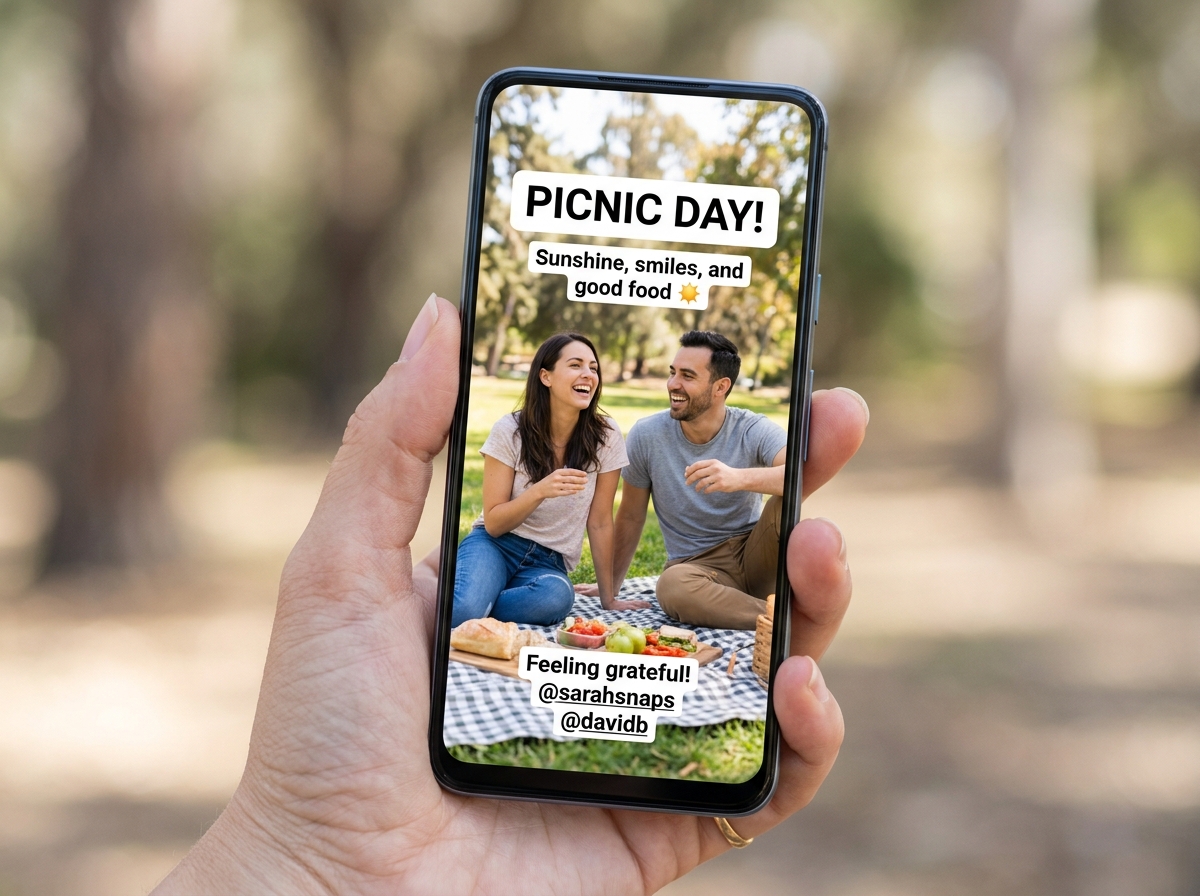
Why 9:16 is the Best Instagram Story Crops Standard
The 9:16 aspect ratio is the undisputed king of vertical content. It is a complete reversal of the 16:9 widescreen format we use for TVs. By using this ratio, your content occupies 100% of the screen real estate. If you want a quick technical reference for aspect ratios in general, this overview of aspect ratio) is a useful starting point.
Why does this matter for your engagement? Because on social media, space is attention. If your photo only takes up half the screen because it is a square crop, the viewer’s eye is more likely to wander to the UI elements or simply swipe away. A full-frame, 1080×1920 pixel image creates an immersive experience that blocks out distractions and keeps the user focused on your story.
Understanding File Limits and Formats
While dimensions are the stars of the show, file types are the supporting cast that keep everything running smoothly. If your file is too large or in a “funky” format, Instagram will compress it aggressively, ruining your beautiful crop with blurriness.
- Images: Stick to JPG or PNG. While Instagram supports others, these are the gold standard for maintaining clarity. Keep them under 30MB.
- Videos: Use MP4 or MOV. MP4 is highly recommended because of its universal compatibility.
- The Limits: Videos can be up to 4GB, but Stories are capped at 60 seconds. If you go longer, Instagram will slice it up, which can sometimes mess with your carefully planned visual flow.
Step-by-Step: How to Achieve the Best Instagram Story Crops
Now that we know the “what,” let’s talk about the “how.” Achieving the best instagram story crops doesn’t have to be a manual nightmare. Whether you are editing a single sunset photo or a hundred product shots, the goal is to maintain the integrity of your composition.
If you’re looking for deeper insights into the artistic side of this, check out our crop and composition editing tips to see how moving the crop box can change the entire mood of your photo.
Fit Mode vs. Fill Mode
When you use a cropping tool or even the native Instagram uploader, you usually have two choices:
- Fill Mode (Cropping): This takes your image and stretches it until the 9:16 frame is full. If your original photo was a wide landscape, this means the sides will be cut off. This is usually the best choice for a “pro” look, provided your subject is centered.
- Fit Mode (Padding): This keeps the entire image visible but adds “letterboxing” (usually blurred edges or solid bars) to fill the rest of the 9:16 space. This is a lifesaver if you absolutely cannot lose the edges of your photo, but it can look less “native” to the platform.
Common Mistakes with the Best Instagram Story Crops
We see these mistakes all the time, and they are easy to avoid:
- Upscaling Low-Res Images: If you try to crop a tiny 600-pixel photo into a 1080×1920 frame, it will look pixelated. Always start with the highest resolution possible.
- Side-Cropping Important Elements: Never let the “Auto-Crop” decide where to cut. If you have a person standing on the far left of a landscape photo and you hit “Fill,” Instagram might cut them out entirely. Always manual-crop to keep your subject in the frame.
- Distorted Ratios: Avoid “stretching” an image to fit. If you turn a circle into an oval just to fill the screen, your audience will notice immediately.
Avoiding the “Auto-Zoom” Trap: Safe Zones and UI Overlap
One of the sneakiest ways a great crop goes bad is through UI overlap. You might have the best instagram story crops in terms of resolution, but if your text is hidden behind your profile icon or the “Send Message” bar, it’s a wasted effort.
Protecting Your Text and Logos
Think of your 1080×1920 canvas as having “danger zones.”
- The Top 250 Pixels: This is where your profile picture, username, and the “X” to close the story live.
- The Bottom 250 Pixels: This is where the message bar and sharing icons sit.
To keep your Story readable, keep all essential elements—like your call-to-action, logos, or captions—within the central 70% of the screen. This “visual breathing room” ensures that no matter what phone your follower is using (from a tiny older iPhone to a massive new Samsung), your message remains clear.
Impact on Profile Highlights and Grid Previews
Your Story crop doesn’t just live for 24 hours if you save it to a Highlight. This is where things get tricky.
- Highlight Covers: These are circular. If your “Story crop” has the subject at the very top, they will be cut off in the Highlight bubble.
- Grid Previews: If you share a Reel (which uses the same 9:16 crop) to your main feed, Instagram previews it as a 3:4 or 1:1 square.
Pro Tip: Always keep the “meat” of your image in the dead center. This ensures it looks good as a full Story, a circular Highlight, and a square Grid post.
Pro Composition Tips for Vertical Storytelling
Vertical photography is an art form in itself. Because the frame is so tall and narrow, the way we lead the viewer’s eye has to change. To get the best instagram story crops, we often have to rethink the “Rule of Thirds.”
For a comprehensive deep dive into these techniques, explore the ultimate guide to better photo composition.
Converting Landscape to Vertical
We’ve all been there: you have a stunning horizontal shot of a mountain range, but you want to post it as a Story.
- Subject Isolation: Instead of trying to show the whole range, crop in tight on one specific peak.
- The “Pan-and-Scan” Method: For video, you can move the crop across the landscape, but for photos, it’s better to pick a focal point and stick to it.
- Creative Borders: If the photo is too wide to crop, use a “Fit” mode with a blurred background to maintain the “vibe” without losing the view.
If you’re a nature lover, you might find our vertical or horizontal framing tips for bird photography particularly useful for managing these tight crops.
Using Negative Space Effectively
In a 9:16 frame, you have a lot of vertical space. Don’t feel like you have to fill every inch with “stuff.”
- Text Overlays: Use the empty sky or a flat foreground as a backdrop for your text.
- Interactive Stickers: Place polls or sliders in the negative space so they don’t cover your face or product.
- Eye-Tracking: A lot of negative space at the top of an image naturally draws the viewer’s eye downward toward the subject, creating a sense of scale and drama.
Frequently Asked Questions about Instagram Story Cropping
What happens if I upload the wrong dimensions to Stories?
If your image is too wide, Instagram will usually “Auto-Zoom” to fill the height, which often cuts off the sides of your photo unpredictably. If it’s too tall or small, you might see black or grey bars. In almost all cases, the quality drops because Instagram’s internal “resizer” isn’t as sharp as a dedicated editing tool.
How do I crop multiple images for Stories at once?
If you have a whole gallery to move, look for “Bulk Crop” tools online or use presets in apps like Lightroom. By locking the aspect ratio to 9:16, you can quickly slide the crop box over the best part of each photo. This ensures a consistent look across your entire Story sequence, which feels much more professional to your viewers.
Does using the correct crop size improve engagement?
Absolutely. We have found that polished, full-screen content has a much lower “swipe-away” rate. When a Story fits the screen perfectly, it signals to the viewer that the content is high-quality and intentional. This builds trust with your audience and makes them more likely to interact with your stickers or links.
Conclusion
Mastering the best instagram story crops is about more than just fitting a box; it’s about respecting the medium. By sticking to the 1080×1920 (9:16) standard, honoring safe zones, and composing with vertical space in mind, you transform your Stories from “random snapshots” into a curated visual experience.
At Ciber Conexão, we believe that every pixel counts. Whether you are a hobbyist or a professional, these small technical adjustments are what separate the amateurs from the creators who truly stand out.
Ready to take your editing to the next level? Explore more of our guides at Ciber Conexão and let Hugo Andrade help you refine your composition and editing skills today. Stop settling for “good enough” crops — start creating Stories that capture the full picture.
