
Why So Many Photos Fall Short — and How to Fix Them Online
Getting a better quality image online is easier than ever, thanks to modern AI tools that can sharpen, upscale, and restore photos in seconds — no editing skills required.
Here are the fastest ways to improve your image quality online:
- Upload to an AI image enhancer (like PicWish, Cutout.pro, or Airbrush) and let it auto-process your photo
- Fix blur and sharpness using an AI sharpening or unblur tool
- Upscale resolution up to 4K or higher with an AI upscaler
- Reduce noise and fix lighting automatically with one click
- Download your enhanced image — most tools deliver results in under 15 seconds
You took a great shot. But when you zoom in, it’s blurry. The colors look flat. The resolution is too low to print or post.
This is one of the most common frustrations for amateur photographers. You don’t always have the time — or the Photoshop skills — to fix it manually.
The good news? You don’t need either.
AI-powered online tools can now reconstruct detail, reduce grain, correct color, and boost resolution automatically. What used to take a professional retoucher hours can now happen in a browser window in seconds.
Over 120 million images have been processed by tools like these, and the results speak for themselves — sharper portraits, cleaner product photos, and old family memories brought back to life.
This guide walks you through everything: how these tools work, which ones to use, and what to expect from each.
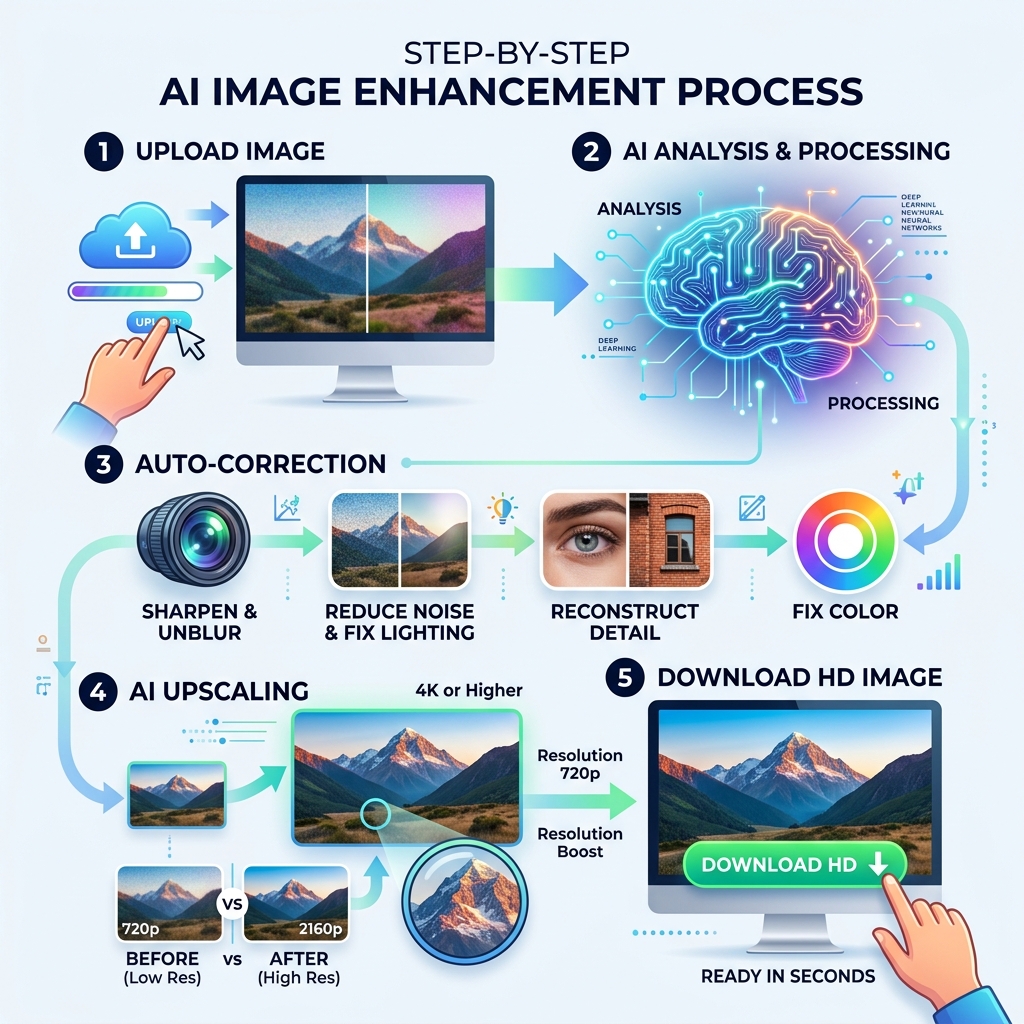
How AI Technology Helps You Get Better Quality Image Online
For years, if you tried to make a small photo bigger, it just became a blurry mess of giant squares. This is because traditional “upscaling” (like bicubic interpolation) simply stretches existing pixels and tries to guess what goes in the gaps by averaging the colors around them. The result? A soft, “smudged” look that doesn’t actually add any new information.
Modern AI has flipped the script. Today, when we want to get better quality image online, we use tools powered by deep learning and neural networks. These systems have been “trained” on millions of high-resolution images. They don’t just stretch pixels; they perform pixel reconstruction.
When the AI sees a blurry edge or a pixelated eye, it recognizes the pattern and “synthesizes” new textures based on its knowledge of what a sharp eye or a crisp fabric texture should look like. This allows for a massive resolution boost—sometimes up to 16x the original size—transforming a tiny thumbnail into a 4K masterpiece.
| Feature | Traditional Upscaling | AI Generative Reconstruction |
|---|---|---|
| Method | Stretches existing pixels | Reconstructs details using deep learning |
| Clarity | Becomes blurry/soft | Remains sharp and detailed |
| Texture | Lost or smudged | Synthesized and enhanced |
| Resolution | Limited (usually 2x) | Up to 16x (512 Megapixels) |
| Best For | Basic resizing | Professional printing & HD displays |
By using these advanced algorithms, platforms like Let’s Enhance or ImagUpscaler can turn a low-res file into something that looks like it was shot on a high-end DSLR.
Essential Features of Modern Online Image Enhancers
When you’re looking to get better quality image online, you aren’t just looking for a bigger picture. You want a cleaner one. Modern enhancers are like a Swiss Army knife for your photos, offering a suite of automated fixes that used to require hours of manual labor.
Noise Reduction and Sharpening
One of the biggest enemies of image quality is “noise”—that grainy, colorful speckling you see in photos taken in low light. AI image denoisers can identify this noise and strip it away without losing the underlying detail. This is particularly helpful for specialized niches; for example, if you’re working on improving clarity in bird shots, removing noise from the feathers is essential for a professional look.
Sharpening is the other half of the battle. AI sharpeners can actually “unblur” an image by detecting motion blur or soft focus. While we always advocate for avoiding blurry images in bird photography during the shoot, these tools are a lifesaver when the perfect moment was just a tiny bit out of focus.
Comprehensive Lighting and Color Correction
Sometimes a photo is sharp but “dead.” AI enhancers can lift exposure, recover details from deep shadows, and balance colors naturally. Unlike old-school filters that just slap a layer of orange over everything, AI adjusts the lighting based on the content of the photo—making the sky bluer and the grass greener without making the people look like they have a fake tan.
Speed and Efficiency
We live in a world. Most top-tier online tools now boast an average processing time of under 15 seconds. If you have a lot of work to do, many services offer batch processing, allowing you to enhance up to 50 images at once on the web, or even thousands on desktop versions.
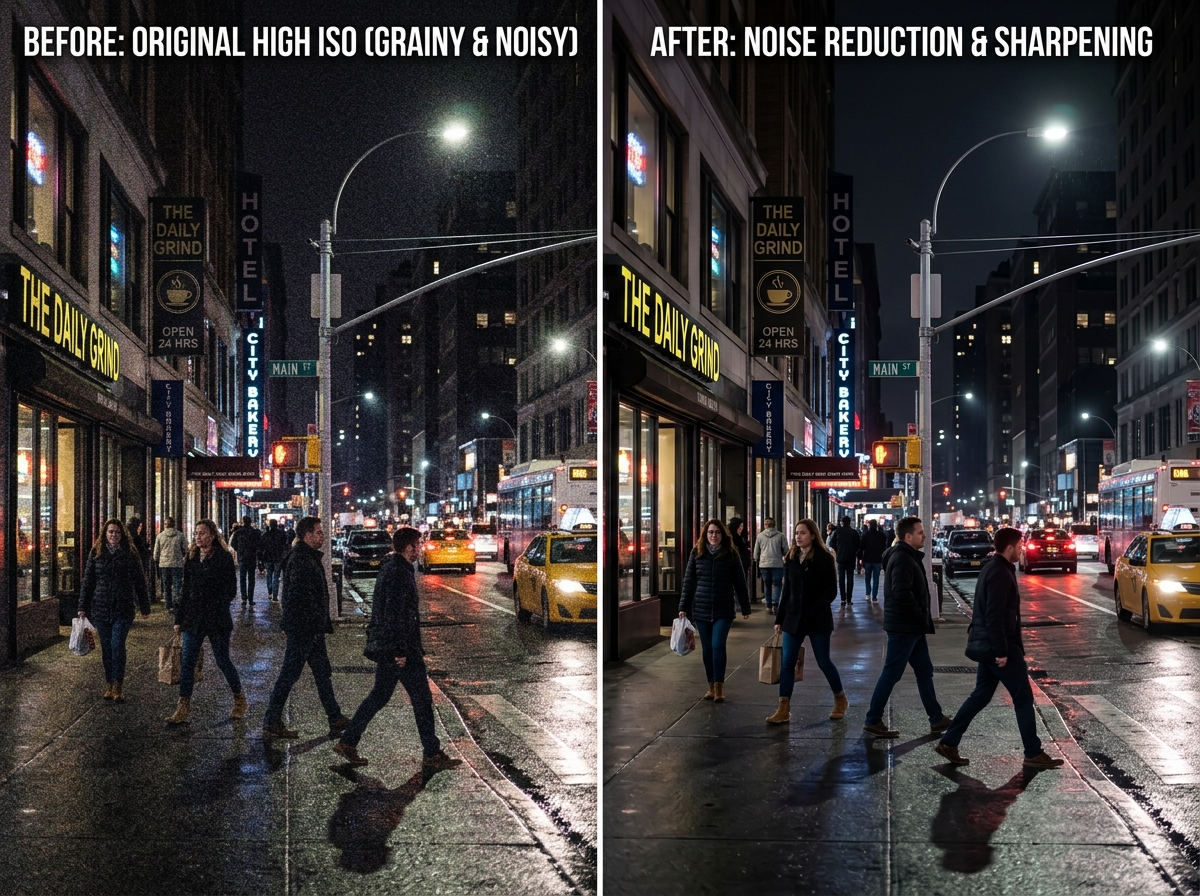
Practical Applications: From E-commerce to Heritage Restoration
The ability to get better quality image online isn’t just a fun trick; it has massive real-world value. Whether you are a business owner or a family archivist, high-quality visuals are the gold standard.
E-commerce and Professional Growth
In online shopping, image is everything. Statistics show that conversion rates can jump by as much as 43% when a catalog is upgraded with AI-enhanced images. Why? Because customers trust sharp, clear photos. If a product looks pixelated, the brand looks untrustworthy. Using AI to sharpen bird images in post or refine product textures ensures that every detail—from the stitching on a shirt to the glint on a watch—is visible.
Social Media and Engagement
We’ve all seen those blurry photos on Instagram that get scrolled past. High-resolution, 4K-quality transformations grab attention. When you use tools to create natural-looking edits for bird photos or travel snaps, you’re more likely to see higher engagement. The “AI magic” makes your content stand out in a crowded feed.
Printing and Large Formats
If you want to turn a phone photo into a large wall poster, you need at least 300 DPI (dots per inch). A standard low-res photo will look terrible if printed large. AI upscalers bridge this gap, allowing you to take a small digital memory and turn it into a print-ready resolution without the dreaded “pixel blocks.”
Using AI to Get Better Quality Image Online for Portraits
Portraits require a delicate touch. You want to look like you, just on your best day. AI portrait enhancers specialize in:
- Face Enhancement: Sharpening eyes and defining hair.
- Skin Smoothing: Removing blemishes and evening out skin tones while keeping the texture real (no “plastic” skin).
- Wrinkle Removal: Gently softening lines for a rejuvenated look.
- Eye Clarity: Adding that “sparkle” back into the gaze.
For those just starting out, checking out beginner bird photo editing tips can actually teach you a lot about how to handle subjects and focal points, which applies to human portraits too!
How to Get Better Quality Image Online for Old Photos
We all have that box of old family photos—scratched, faded, and blurry. AI restoration tools are a miracle for heritage preservation. They can:
- Remove Scratches: Automatically “heal” tears and dust marks.
- Colorization: Turn a black-and-white memory into a vibrant, full-color scene.
- Grain Reduction: Smooth out the heavy film grain of 1970s snapshots.
- Color Enhancement: If you need to enhance colors in bird photography or old landscapes, AI can intelligently guess the original hues of the sky and foliage to bring the scene back to life.
Security, Privacy, and Technical Limitations
When you upload your personal photos to a website to get better quality image online, privacy is a valid concern. You don’t want your private family moments or proprietary business shots floating around the internet.
Data Privacy and Encryption
Reputable tools like Adobe Express and ImgEnhance take security seriously. Look for services that offer:
- 256-bit SSL Encryption: This ensures the connection between your computer and the server is secure.
- SOC 2 Compliance: A high-level industry standard for data security.
- Automatic Deletion: Most top-tier services automatically delete your uploaded and processed images from their servers within 24 hours (or even sooner if you manually clear your dashboard).
Knowing the Limits
While AI is powerful, it isn’t magic. There are some limitations to keep in mind:
- File Size Limits: Most free online tools limit uploads to 5MB or 10MB. Professional versions can handle much larger files, sometimes up to 40MB.
- Daily Credits: Free users often get a limited number of “credits” (e.g., 5 free enhancements per day).
- Watermarks: Some free services will place a watermark on your high-res download unless you upgrade.
- Source Quality: If a photo is extremely pixelated (like a 50×50 pixel icon), the AI might struggle to reconstruct a realistic face. It needs some data to work with!
For those who find these tools a bit overwhelming, looking for beginner-friendly photo editing software can provide a more structured environment to learn the ropes before jumping into advanced AI workflows.
Frequently Asked Questions about Online Image Enhancement
Can AI upscale images to 4K without losing quality?
Yes, but with a caveat. AI doesn’t just “stretch” the image; it adds new pixels based on learned patterns. This means you can reach a 4096px output (4K) while actually increasing the perceived quality. The AI fills in the gaps with sharp details, textures, and edges that weren’t visible in the original. However, the result depends on the “generative” power of the algorithm—it is reconstructing what it thinks should be there, which is why top-tier tools like Phot.ai are so highly rated for their accuracy.
Are free online image enhancers safe for private photos?
Generally, yes, provided you use well-known, reputable platforms. Most professional-grade online enhancers use encrypted servers and have strict privacy policies. Always check if the site has a “delete history” feature in the user dashboard. If you are working on highly sensitive corporate data, you might prefer a desktop-based AI tool that processes everything locally on your computer.
How does AI enhancement differ from Photoshop?
The main difference is automation vs. manual control.
- Photoshop: Gives you total control. You can spend three hours manually cloning out dust, adjusting curves, and sharpening edges. It requires significant skill and a monthly subscription. If you’re looking for Photoshop tips for bird photos, you know it’s a deep well of features.
- AI Enhancers: These are “one-click” solutions. They can reduce a retouching team’s workload by 70% because the AI handles the tedious stuff (noise, lighting, upscaling) in seconds. It’s perfect for those who want professional results without the steep learning curve of professional software.
Conclusion
At Ciber Conexão, we believe that every photo has the potential to be a masterpiece. While we often focus on the fundamentals of crop and composition to get the best shot in-camera, we recognize that technology is a powerful ally in the editing room.
Hugo Andrade and our team are dedicated to helping you bridge the gap between a “good” photo and a “stunning” one. Whether you are trying to get better quality image online to save a blurry memory or to level up your professional portfolio, the AI tools available today are game-changers. They allow us to focus more on the creative side of photography while they handle the heavy lifting of pixel-crunching.
Ready to take your editing to the next level? Explore More photo editing tips and techniques to learn how to combine these AI miracles with classic editing wisdom. Turn those pixels into perfection today!
